

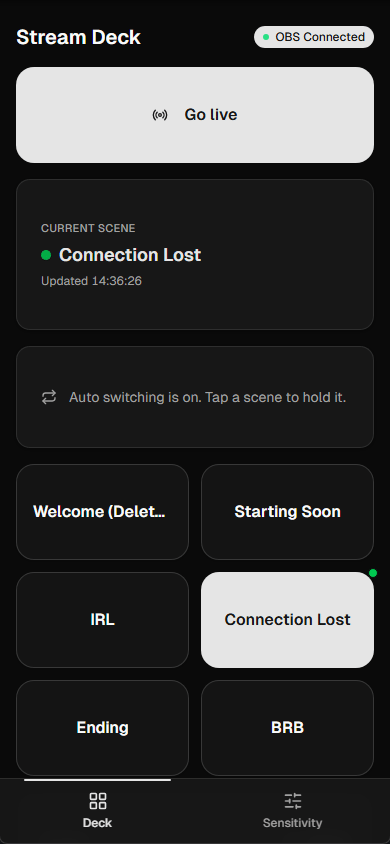
The deck: go live, current scene, scene tiles.
Install it as an app
Open/deck in your phone browser and accept the install prompt, or use your
browser’s “Add to home screen”. It launches full-screen like a native app, no
address bar eating your buttons.
What’s on it
- Go live / End stream: one big button. It starts and stops the Twitch stream from your cloud OBS.
- Current scene: what your viewers see right now.
- Scene tiles: tap to switch. Any scene whose name starts with
_or-is treated as internal and hidden here, which is why_alertsand_incoming-sourcesnever clutter your tiles. Same rule on the dashboard. Name your own helper scenes that way and they’ll stay out of the way too. - Stream status: your incoming feed’s health at a glance.
Switching scenes
Tap a tile, your cloud OBS switches. That’s the whole thing, and it’s the reason the deck exists: BRB when you walk into a shop, back to IRL when you’re out. With the auto switcher running, tapping a tile also tells it to stand down, so it won’t drag you back to a different scene two seconds later. The deck shows a card with what you’re holding and a button to release it. Release, and the switcher takes over again once your connection looks good.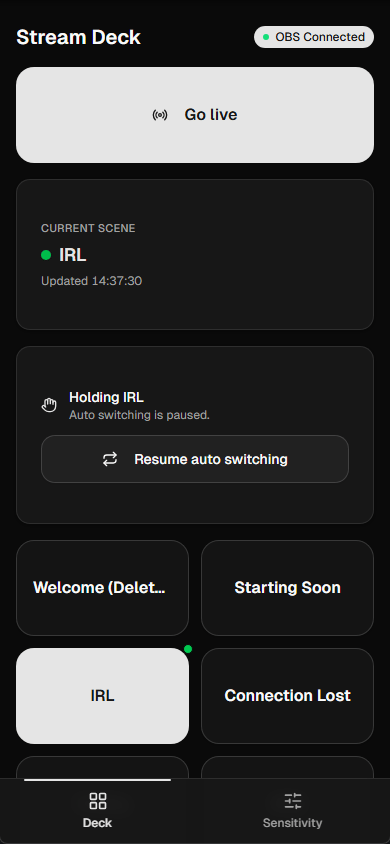
A held scene with its release control.
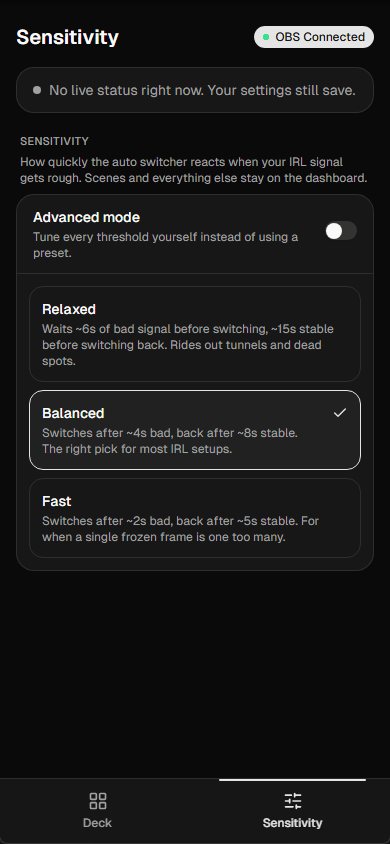
Sensitivity presets on the deck.